Parents
Involve families in everyday school life with one parent account that also covers siblings at the same school.

What parents do with OhayoSchool
Parents read messages and parent letters from your school in one place, translated into their language, and also receive parent letters by email.

OhayoSchool helps parents
- report their child sick without a phone call and see the school office's response,
- mark parent letters as read and sign consent forms digitally,
- write to teachers directly from the contact list
- and book their own appointments on parent-teacher day or during office hours.
AI for parents
Let children practice the material from their lessons in the learning terminal with a digital tutor.
Learning pilot
The learning pilot suggests material from each child's own lessons and guides them step by step through the tasks. If a child gets stuck, it gives hints in stages.
Learn more about AI agents and assistantsHow OhayoSchool supports parents
See which applications parents use at your school.
Show parents their child's progress, weekly summary, and new alerts on one page.
Learn moreHold parent-teacher meetings by video, which parents join using the link in their invitation or by phone.
Learn moreIf a child arrives late because a bus or train was delayed, confirm it with a certificate based on their route to school.
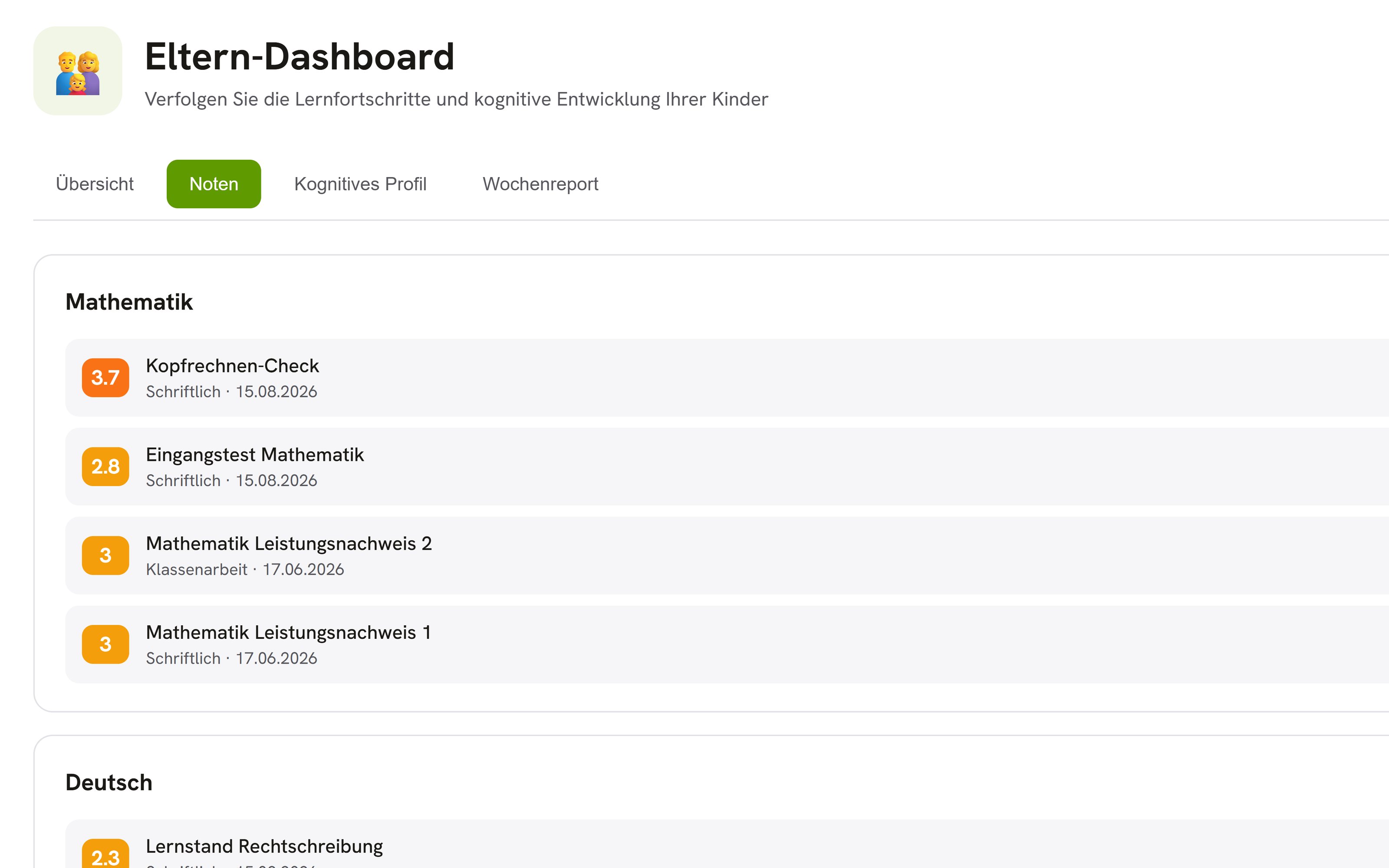
Learn moreParents see each of their child's grades as soon as a teacher has entered it.
Learn moreTurn on a summary of the learning profile for parents, with strengths, topics practiced, and progress, without raw scores.
Learn moreIn focus
 OhayoSchool
Data protection in schools
The rights parents and students have when schools handle student data.
Read articleLaunch of the intelligence infrastructure
Where OhayoSchool announces new functions, including those for parents.
Read newsGetting started
OhayoSchool for families in action
Learn in a personal demo how OhayoSchool connects families and schools.
Frequently asked questions
How do parents connect to their child?
Your school invites parents and guardians with a personal code, by letter with a QR code or by email. Whoever redeems the code is connected to the child right away. The school office approves requests without a code, and your school can revoke any link.
Do parents need an app?
No. OhayoSchool runs in the browser, and parents open their view like any website.
Can parents choose which messages reach them?
Yes. Parents choose which notifications and emails they receive, and no messages are delivered during your school's quiet hours.
Who processes the children's data?
OhayoSchool processes it on behalf of your school or its school authority, on servers in Germany. Because OhayoSchool runs the language models itself, no external AI provider receives a child's data.
Is a learning profile created without parental consent?
No. A learning profile is only created once the parents or guardians have given their explicit consent, which your school obtains. OhayoSchool stores the results in pseudonymized form.
Do parents sign a separate contract with OhayoSchool?
No. Parents use OhayoSchool under the contract that your school or its school authority has concluded with OhayoSchool.
How is the parent portal billed?
The parent portal is part of the Administration package and included in the price per student per month. Accounts for teachers, office staff, and school leaders cost nothing extra. See pricing
Can I try OhayoSchool before I commit?
Yes. In a personal demo, we show OhayoSchool with the data of a sample school.