Onboarding at your school
Leave the setup to us: we take over your data and set up your school before you start.

Your start with OhayoSchool
The setup wizard in OhayoSchool saves every step and shows what is still open.
A dedicated contact at OhayoSchool knows your school and can still be reached directly after you start.
How onboarding works
You see OhayoSchool in a personal demo and tell us what your school needs.
We bring in grades and parent contacts from files, and email straight from your previous mailbox.
We verify your school's domain and create mailboxes for your staff.
Everyone activates their own school account with the code from the email.
Tools for onboarding
We use these tools in OhayoSchool during onboarding, and your school can use them on its own afterwards.
Test access to your previous mailbox and transfer the emails in an import job that you can pause and resume.
Learn more about school emailRetrieve the DNS records for your domain and let OhayoSchool check that they are correct.
Create mailboxes for many people at once and check the preview first.
Bring parents' contact details from a CSV file into your school's address book.
Load existing grades into OhayoSchool from a file.
Learn more about gradesSend activation codes for new school accounts by email.
Learn more about the school accountThe next step
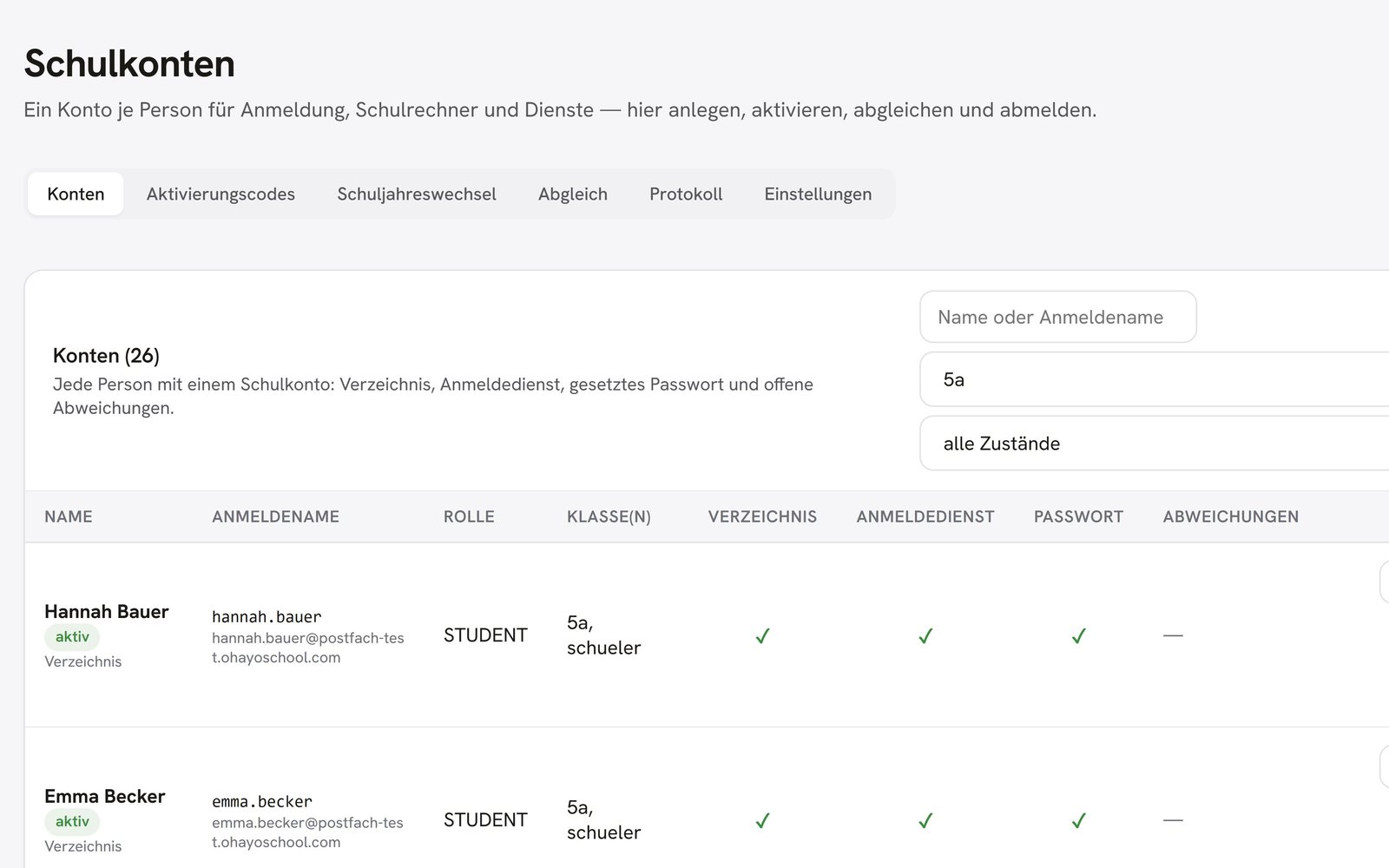
OhayoSchool in action
Request a personal demo and bring your questions about the data transfer.
Frequently asked questions
How do our staff learn to use OhayoSchool?
Anyone can ask OhayoSchool in the Ohayo Terminal how something works. In Ohayo Academy, your staff work on teaching and student support, remotely or at your school. Go to Ohayo Academy
What happens to our data if we stop using OhayoSchool?
You export your school's data, including every mailbox. For the move to another provider, OhayoSchool provides a guide.