Work email on your own domain
Give teachers, office staff, and school leaders mailboxes on your school's domain, and reach staff and parents through distribution lists.

More control over your school's communication with mailboxes you manage yourself
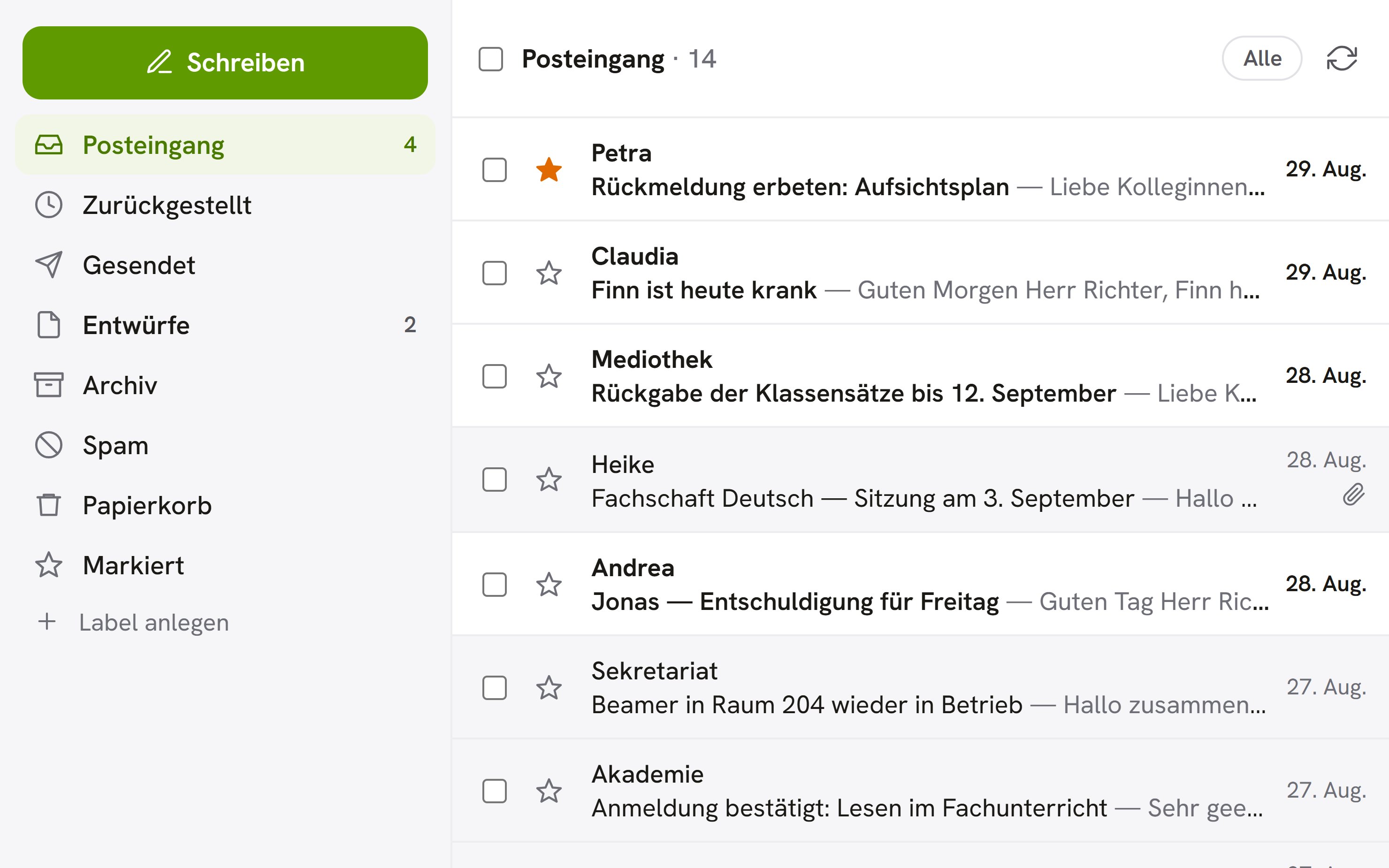
Use your school's email inside OhayoSchool
Teachers and office staff read and write email directly in OhayoSchool, alongside the timetable, class register, and messages. Administrators set up the domain, mailboxes, distribution lists, and parent contacts from a single admin area.
All business process management applicationsOne sender for the whole school
Parents recognize official school email at a glance by your school's domain.
Stored in Germany
Emails and attachments are stored on servers in Germany, like all your other school data.
Connected to the school office
Transfer a sick note from an email into the absence list without retyping it.
Move in either direction
Bring existing email with you at the start, and export all mailboxes if you ever change providers.
Assistant for school email
Write emails with support from an assistant built into the mailbox.
Writing assistant
Open the writing aid while you write and decide which suggestion to accept. The language model behind it runs on OhayoSchool servers, and no email is sent to external AI providers.
Learn more about AI agentsExplore school email functions
Read, write, and manage your school's email in one application.
Read replies as one connected conversation and file emails in folders.
Snooze an email, and it returns to your inbox at the time you choose.
Recall an email shortly after sending it if you spot a mistake.
Save attachments straight to OhayoSchool document management.
Create distribution lists and check who is on them before you send.
Import parent addresses from a CSV file and update individual entries later.
Parent letters also reach families by email at the addresses on file.
Set up an automatic reply for school holidays and training days.
Sort incoming email into folders with your own rules.
Accept or decline meeting invitations straight from the email.
Add the DNS records that OhayoSchool shows for your domain, and start the mailboxes once the check succeeds.
Create mailboxes for several people at once and review the preview first.
Share addresses such as the school office's with several people.
Track email delivery and the health of your domain.
Resources
 OhayoSchool
Business process management
All applications for workflows in the school office and across campus.
Learn moreThe next step
OhayoSchool in action
Learn in a personal demo how OhayoSchool fits into the way your school works.
Frequently asked questions
What happens to a mailbox when a teacher leaves the school?
You disable the mailbox or schedule its deletion for a set date. Until then, you can cancel the deletion and reactivate the mailbox.
Can teachers use their mailbox in an email app?
Yes. With an app password, teachers set up their mailbox in an email app on a computer or phone. In the admin area, you see the app passwords for each mailbox and revoke them when needed.
Does OhayoSchool scan attachments for malware?
Yes. OhayoSchool scans attachments for viruses and shows emails in the reader without active content.
What does school email cost?
School email is part of the Administration package and included in the price per student per month. Accounts for teachers, office staff, and school leaders cost nothing extra. See pricing
Can I try OhayoSchool before I commit?
Yes. In a personal demo, we show OhayoSchool with the data of a sample school.