School office with a rule-based autopilot
Keep track of sick notes, calls, and reminders, and let OhayoSchool handle routine tasks using the rules your school switches on.

More time for people in the school office with an autopilot for recurring tasks
Start the day with an overview of what is waiting
The daily overview brings new items from the inbox, phone notes, and due reminders together on a single page. Sick notes and fault reports from around the building each have a list of their own.
All business process management applicationsSick notes without a phone call
Parents report their child sick in OhayoSchool, and the report goes straight to the school office.
Always up to date
New cases in the approval list and new log entries appear immediately, without reloading the page.
Every step traceable
Check the log to see what the autopilot did and when.
Data from one source
Work with the same students, classes, and parents that the class register and parent portal use.
Assistant for the school office
Hand routine over to an assistant that works as the school office autopilot.
School office assistant
The school office assistant checks every new item. If a rule you have switched on applies, it handles the item; all other cases go to your approval list.
Learn more about AI agentsExplore the functions of the digital school office
Handle the inbox, calls, sick notes, and approvals in one application.
Open new items straight from the list and work on them.
Record calls as notes so that no request gets lost.
Tick off reminders that are due as soon as they are done.
See every sick note that is waiting for your confirmation.
Confirm a report, or reject it if something is wrong.
Look up reports that have already been processed.
Start or pause the autopilot for the whole school office.
As a school leader, you decide for each rule whether the autopilot applies it.
See whether the autopilot is running and which rules are active.
Build your own workflows and rules without programming, and the autopilot carries them out.
Open a case from the approval list and close it with your decision.
Remove duplicate or obsolete cases from the list without carrying anything out.
Add steps you completed yourself to the log.
Resources
 OhayoSchool
Business process management
All applications for workflows in the school office and across campus.
Learn moreThe next step
OhayoSchool in action
Learn in a personal demo how OhayoSchool fits into the way your school works.
Frequently asked questions
Can we start without the autopilot?
Yes. With the autopilot switched off, you handle every item yourself and still use the daily overview, phone notes, and reminders.
What is the difference between the school office and the Ohayo Terminal?
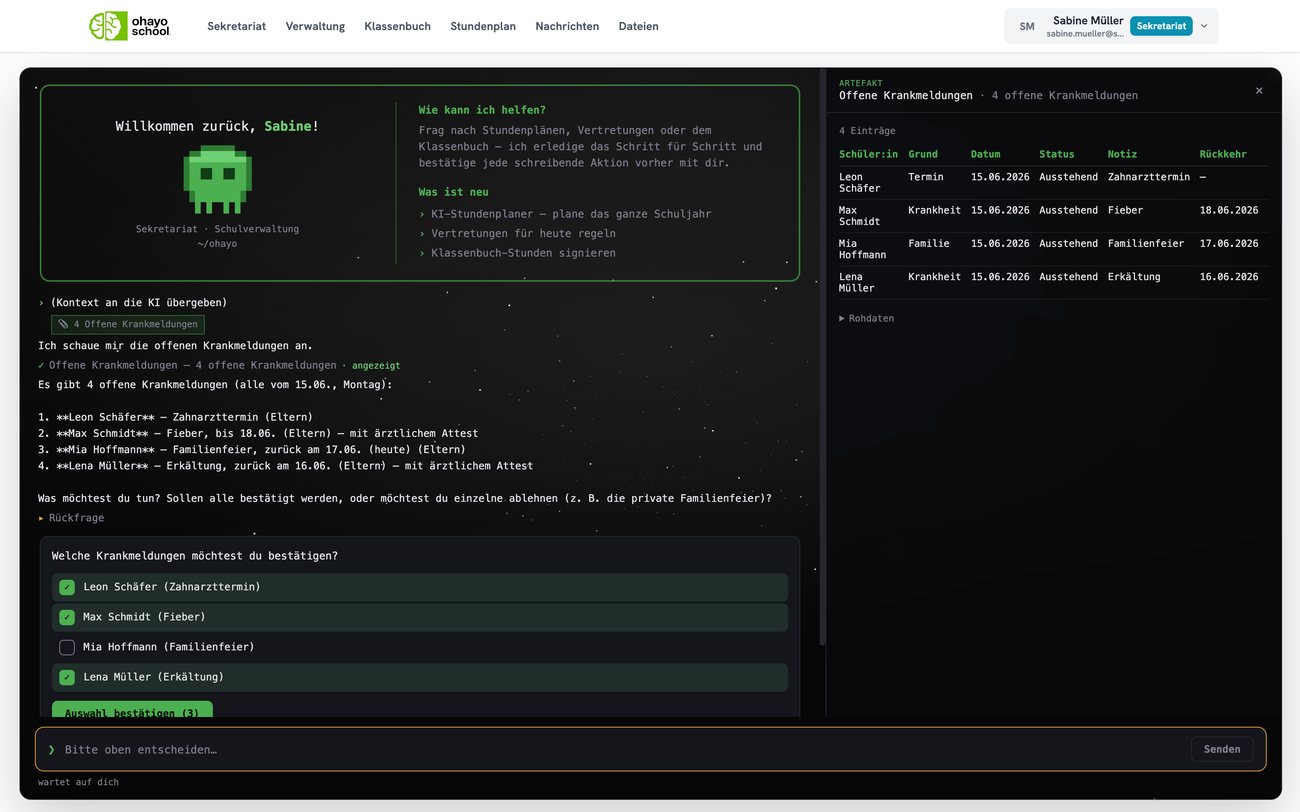
In the school office, you work through items in lists. In the Ohayo Terminal, you ask about the current status in everyday language, and OhayoSchool only makes a change once you confirm it.
What happens to sick notes that arrive by email?
The inbox assistant detects sick notes among incoming emails. You transfer the sick note straight from the email into the school office's absence list.
What does the digital school office cost?
The digital school office is part of the Administration package and included in the price per student per month. Accounts for teachers, office staff, and school leaders cost nothing extra. See pricing
Can I try OhayoSchool before I commit?
Yes. In a personal demo, we show OhayoSchool with the data of a sample school.