Data protection and security
Stay in control of your school's data with safeguards in every application and tools for your obligations under the GDPR.
Who sees your school's data?
Your school remains the controller under the GDPR, and OhayoSchool processes the data on its behalf.
Your school decides which role sees and changes which data. The assistants in the Ohayo Terminal only read with the permissions of the person asking.
Your school invites parents by letter or email with a personal code that links them to their child right away. The school office approves requests without a code, and the school can revoke any link.
Every change to school data is recorded in the log, even when an assistant prepared it.
Technical safeguards
OhayoSchool encrypts all stored data with AES-256 and transfers it over TLS 1.3.
OhayoSchool processes all data on servers in Germany and does not transfer any data to third countries.
Your school gets its own servers, which no other school uses.
OhayoSchool stores learning profiles and practice data in pseudonymized form, so they cannot be traced back to real names.
OhayoSchool processes requests to the assistants on its own servers and does not pass them on to any external AI provider.
Learn more about Ohayo Private AIProtect accounts with a second factor and, if needed, suspend an account along with its active sessions.
Learn more about the school accountOperations and backups
Daily backups
OhayoSchool backs up your school's data every day, encrypted, at a second location in Germany.
Virus scanning
OhayoSchool scans uploaded files for malware.
Support access only with your approval
The OhayoSchool team only accesses your school's account when you approve access for a request: for a limited time, read-only at first, and with every session in a log your school can see. Without approval, the team only accesses the account in a security incident and notifies your school immediately.
Tools for your school's data protection obligations
The data protection assistant supports you with each of these tasks.
Access and erasure
Handle requests for access and erasure. When data is erased, OhayoSchool anonymizes that person's records.
Consent
Record consent separately for each type of processing. Your users can withdraw their consent themselves in OhayoSchool. OhayoSchool only creates a learning profile once the student's parents or guardians have given consent.
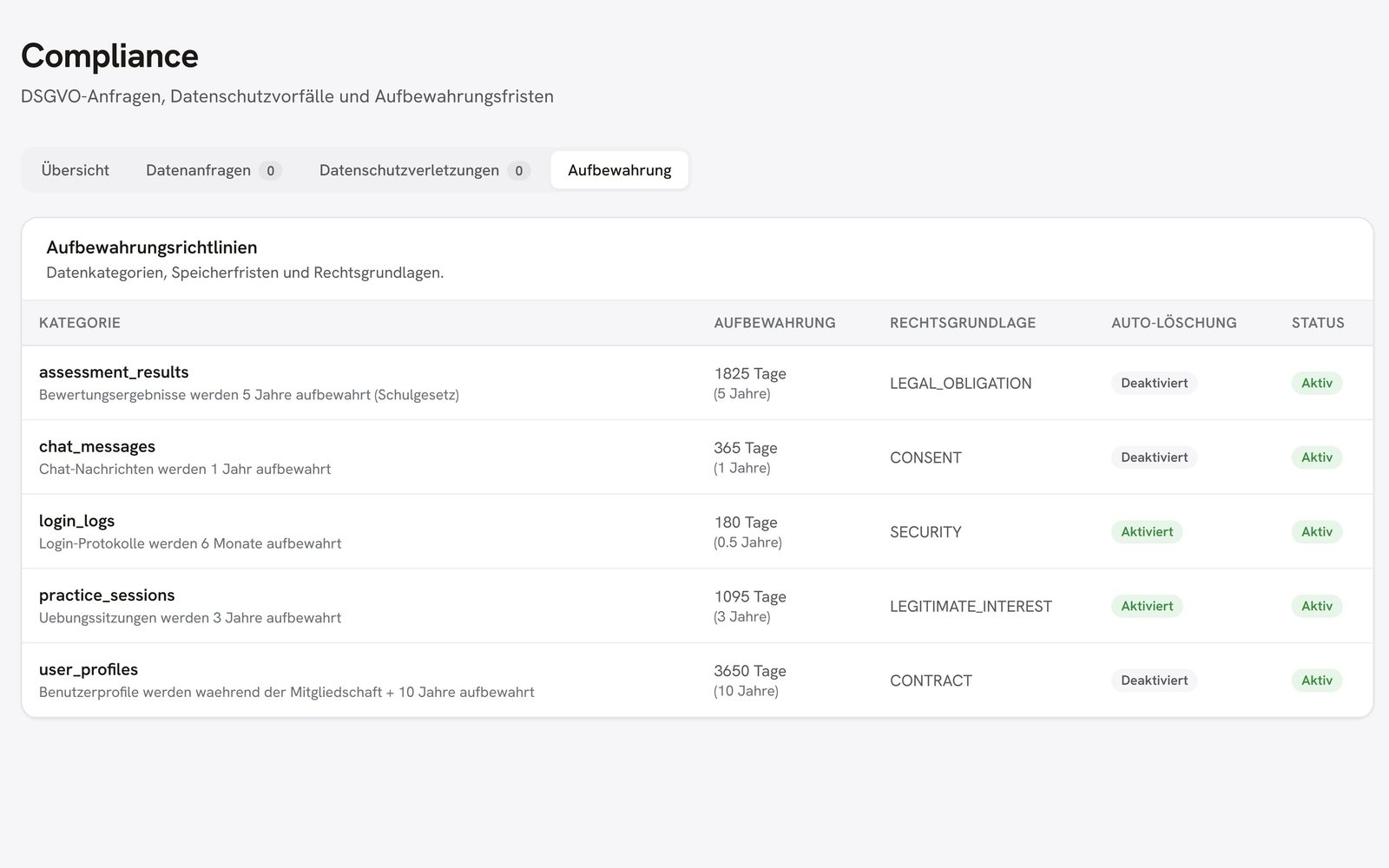
Retention periods
View your school's retention periods and adjust them when requirements change.
Data breaches
Document a data breach and track the status of its handling.
In focus
 OhayoSchool
The next step
OhayoSchool in action
Get answers to your data protection questions in a personal demo before you introduce OhayoSchool at your school.
Frequently asked questions
Do we need to sign a separate data processing agreement?
No. The data processing agreement is part of every user agreement.
Can users download their own data?
Yes. Everyone can export the data in their own account without submitting a request.
What if a device is lost?
Sign the device out in your account's security settings. This ends the session on that device.
What do data protection and security cost?
Data protection and security are included in both packages, Administration and Intelligence infrastructure. Accounts for teachers, office staff, and school leaders cost nothing extra. See pricing
Can I try OhayoSchool before I commit?
Yes. In a personal demo, we show OhayoSchool with the data of a sample school.