User accounts and central sign-in
Set up school accounts for everyone at your school and let each person activate their own account with an activation code.

Fewer passwords in everyday school life with one account for every application
Sign in with the school account
With their school account, each person signs in once and then works in every OhayoSchool application their role allows. Signing out ends the session in all of them.
Learn more about the platformSee your devices
See which devices your account is signed in on and sign out any you don't recognize.
Fewer support requests
Anyone who forgets their password resets it themselves on the sign-in page.
Remove access
When you suspend an account, OhayoSchool also ends its active sessions.
Traceable changes
OhayoSchool records sign-ins and changes to accounts in a log.
Explore school account functions
Protect sign-ins and manage your school's accounts in one place.
Protect your account with a second factor and keep backup codes ready in case you don't have it with you.
When you change your password, OhayoSchool checks whether it is strong enough.
Get an alert when OhayoSchool detects an unusual sign-in to your account.
Generate an activation code for every new account and send it by email.
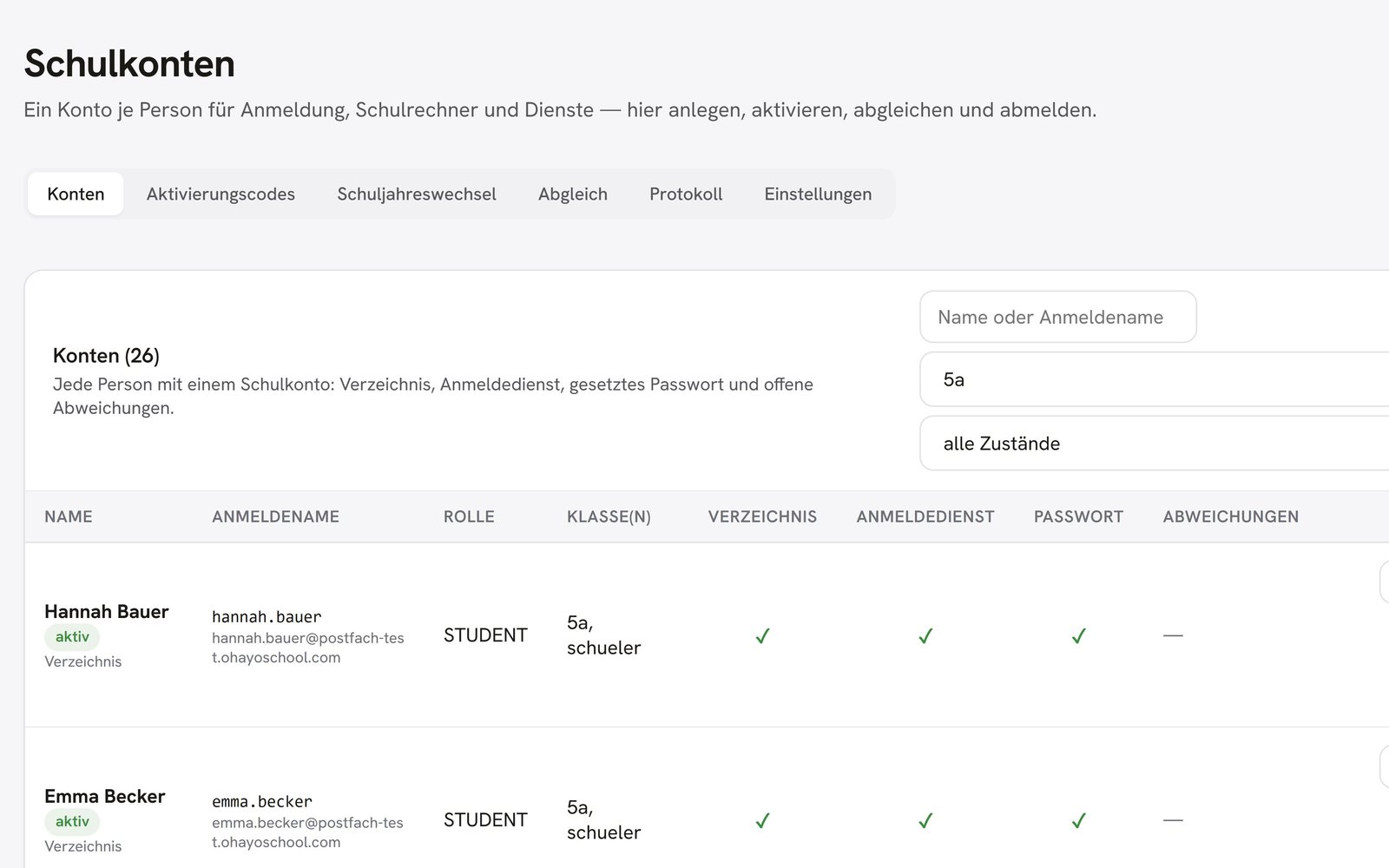
See which accounts are active and who has not redeemed their code yet.
Invite parents with a personal code, by letter with a QR code or by email; anyone who redeems it is connected to their child right away. The school office approves requests without a code, and your school can revoke any connection.
Create accounts one by one or edit many accounts in a single step.
Assign roles, place students in their classes, and record teachers' subjects and class teacher roles.
Require a person to set a new password for their account.
Connect your school's computers to a directory that holds the same school accounts.
OhayoSchool syncs the accounts with the directory and records every sync.
Resources
 OhayoSchool
The next step
OhayoSchool in action
Learn in a personal demo how OhayoSchool fits into the way your school works.
Frequently asked questions
What is the difference between the school account and Ohayo Vault?
The school account controls who signs in. In Ohayo Vault, you decide which role sees and changes which data.
What applies when a person has several roles?
The permissions of all their roles add up, for example for a teacher who is also part of school leadership.
What happens when a student changes classes?
You assign the student to the new class, and their school account stays the same.
Where is account data stored?
On servers in Germany. OhayoSchool runs the sign-in service itself.
What does the school account cost?
The school account is part of the Administration package and included in the price per student per month. Accounts for teachers, office staff, and school leaders cost nothing extra. See pricing
Can I try OhayoSchool before I commit?
Yes. In a personal demo, we show OhayoSchool with the data of a sample school.