Digital gradebook and report cards
Record grades with your school's weightings and prepare report cards with pre-drafted texts.

More clarity in assessment with grades and report cards from one source
Record grades and carry them into report cards
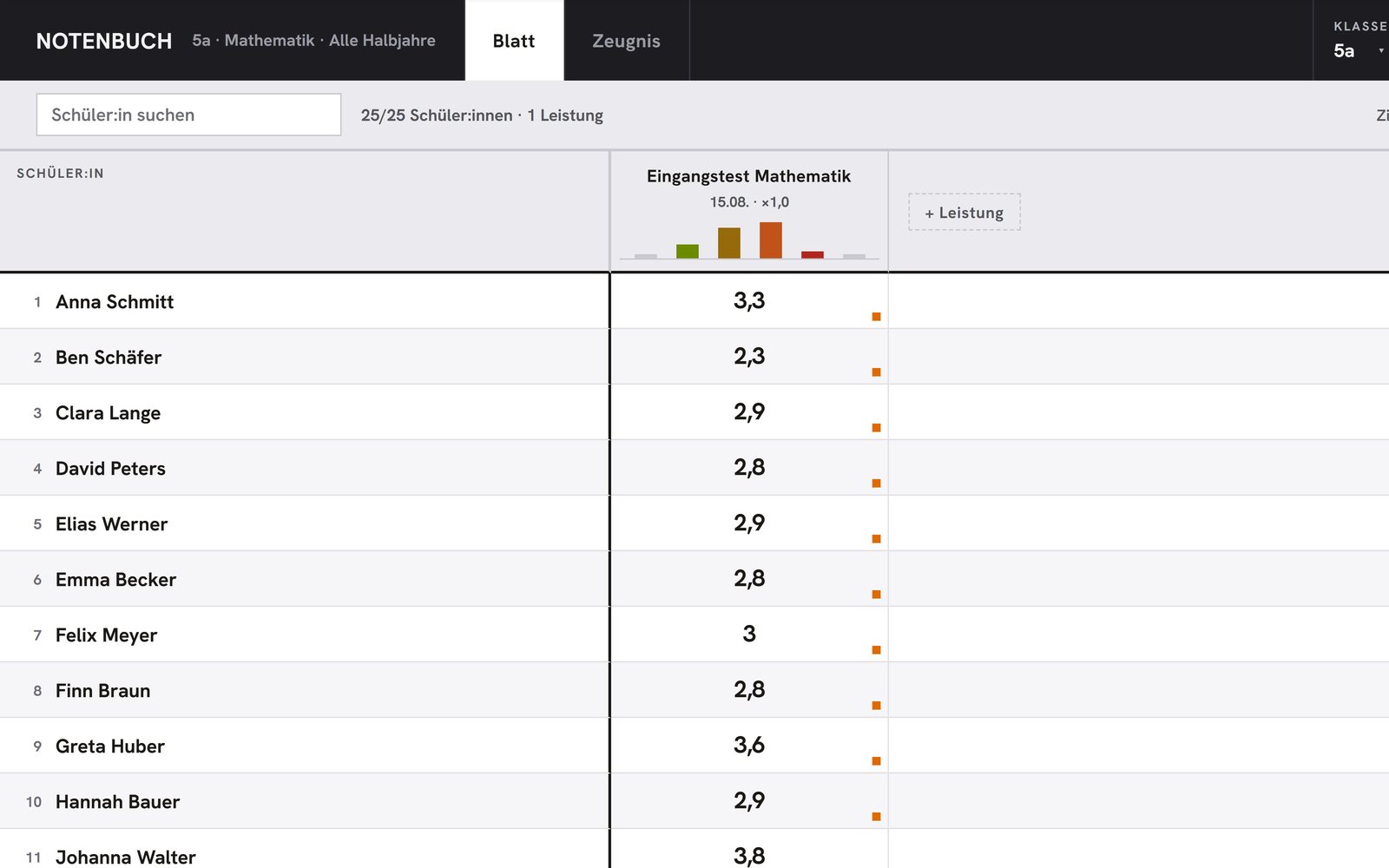
Teachers enter grades, and OhayoSchool continuously calculates each student's average from them. At the end of the semester, you carry the grades over into the report cards and add the written assessments there.
All learning analytics applicationsConsistent grading
Make sure all teachers of a subject calculate with the same weighting.
Less writing
Start every report card text from a draft and spend your time on the assessment itself.
Early action
Notice in good time when a class falls behind in a subject.
Transparency for students
Give students access to their grades and their current average at any time.
Assistant for report card texts
Write report card texts together with the OhayoSchool report card assistant.
Report card assistant
Record observations about a student by voice or text, and the assistant drafts a text from them. On request, it shortens the text or adjusts the tone. You add the text to the report card only once you have reviewed it.
Learn more about AI agentsExplore grading and report card functions
Work with grades, competency grids, report cards, and analyses in one application.
Set once for each subject how much the different types of grades count.
Say or type a grade in one sentence, and the grades assistant prepares the entry. On request, it tells you a student's current average.
Bring in grades from a file and export grade lists as CSV.
Record each student's learning progress by competency, in addition to grades.
Set individual support goals for each child and keep them up to date over the school year.
Work through a semester's report cards step by step and save your progress until every text is final.
Use your school's report card templates and text modules for recurring phrases.
See how a class performs across its subjects.
Open a report on any student's grades.
Ask the class assistant how a class is doing. It compares the results with the class statistics and names the topics that many students find difficult.
Resources
 OhayoSchool
Learning profile
Each student's strengths and areas to practice compared with the class.
View applicationTargeted support with learning data
Training for teachers and school leaders, remote or at your school.
View trainingThe next step
OhayoSchool in action
Learn in a personal demo how OhayoSchool fits into the way your school works.
Frequently asked questions
What happens when a grade needs to be corrected?
The teacher changes or deletes the entry, and the average and class statistics update immediately.
Can parents see their child's grades?
Yes. Parents see every grade for their child in the parent portal as soon as it has been entered.
Do observations and report card texts go to external AI providers?
No. OhayoSchool runs its language models on its own servers, and no data flows to external AI providers.
What do grades and report cards cost?
Grades and report cards are part of the Administration package and included in the price per student per month. Accounts for teachers, office staff, and school leaders cost nothing extra. See pricing
Can I try OhayoSchool before I commit?
Yes. In a personal demo, we show OhayoSchool with the data of a sample school.