Remote lessons and parent meetings
Hold remote lessons, staff meetings, and parent-teacher conferences by video, and moderate every session from admission to the end.

More participation in meetings and conversations with guest access and phone dial-in
Video conferences for your school and its guests
Invite guests without a school account to a video conference alongside members of your school. Each guest receives a personal link by email, and anyone without a computer at hand can dial in by phone.
All digital teaching applicationsFewer trips
Meet with parents and specialists even when not everyone can come to school.
Familiar sign-in
Members of your school join with the same school account they use everywhere else in OhayoSchool.
Hosted in Germany
Hold video conferences on servers in Germany that OhayoSchool operates itself.
Join in the browser
Join from the browser, on a school computer or at home.
Assistant for video conferencing
Plan video conferences with guests in conversation with OhayoSchool.
Video assistant
Name the occasion, time, and guests in one sentence, and the video assistant creates the meeting. Invitations go out only after you confirm them. During the meeting, you also use the assistant to decide who speaks.
Learn more about AI agentsExplore video conferencing functions
Organize meetings from the invitation to the recording in one application.
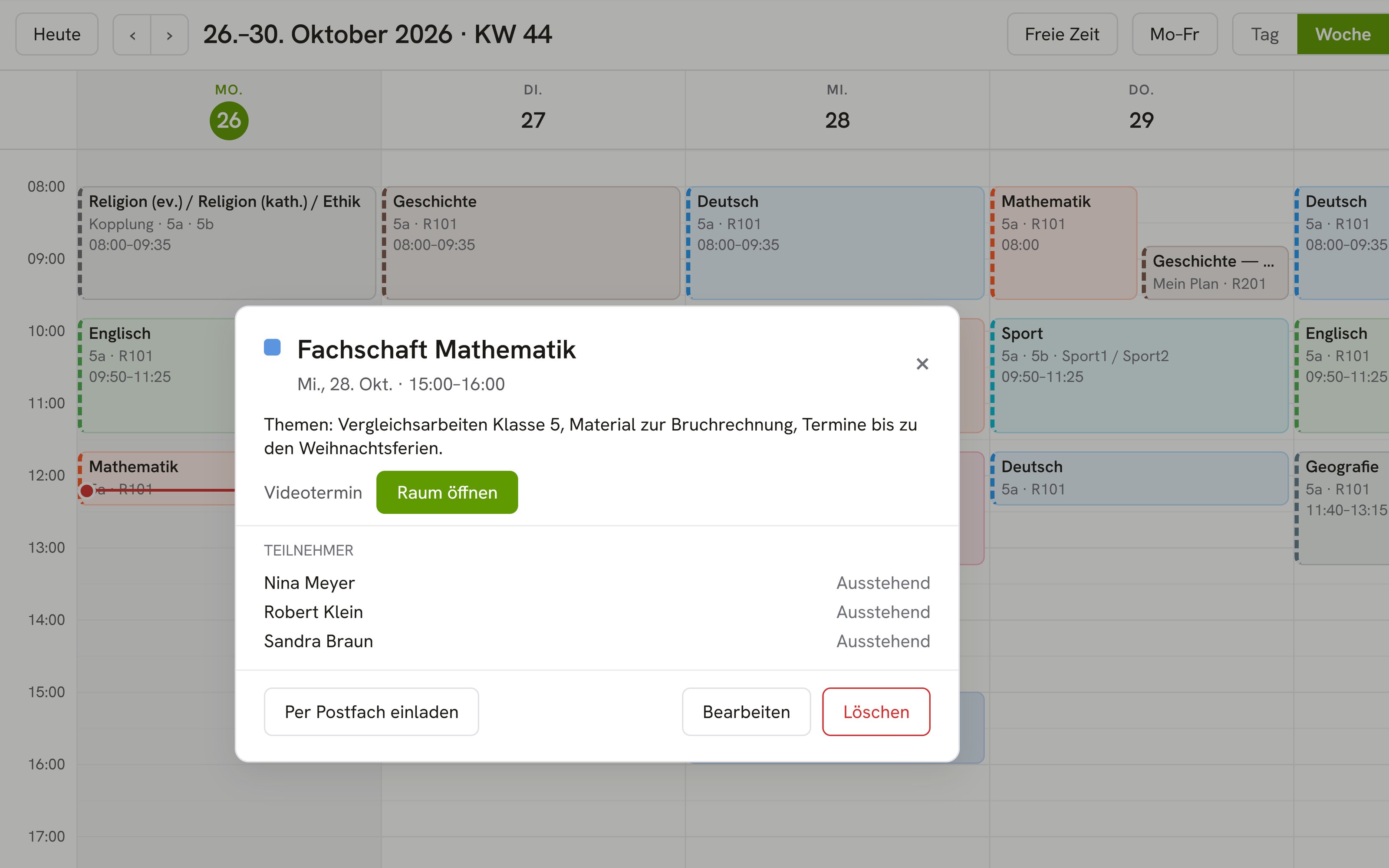
Create a video conference with a topic, time, and participants.
Move a meeting to another date or cancel it.
Open the meeting at the scheduled time straight from your calendar.
Guests wait until you let them into the meeting.
Revoke a guest's invitation, and their link stops working.
Decide who may take part in the meeting with audio and video.
End the meeting for all participants once the conversation is over.
Record a meeting, such as a talk for everyone who could not attend.
Choose the layout in which the recording is made.
Resources
 OhayoSchool
The next step
OhayoSchool in action
Learn in a personal demo how OhayoSchool fits into the way your school works.
Frequently asked questions
How does joining by phone work?
Anyone who dials in by phone hears the meeting and can speak, but sees no video.
When should I use a video conference, and when the digital classroom?
When your class is with you in the room, use the digital classroom with its modules and group rooms. As soon as someone joins from outside, choose a video conference.
What does video conferencing cost?
Video conferencing is part of the Intelligence infrastructure package. It builds on the Administration package and is billed additionally per active student per month. Accounts for teachers, office staff, and school leaders cost nothing extra. See pricing
Can I try OhayoSchool before I commit?
Yes. In a personal demo, we show OhayoSchool with the data of a sample school.