Meeting scheduling and room booking
Plan staff meetings and parent-teacher days in a shared calendar and book the room in the same step.

Greater visibility across your staff with lessons and appointments in one calendar
Find times that work for your colleagues
Select the people you want to meet with, and the free-time search shows you the times when everyone is available. The search takes the stored working hours into account.
All human capital management applicationsLess effort on parent-teacher days
Parents book their meetings themselves, and each teacher finds the bookings in their own calendar.
Always up to date
When someone moves an appointment, everyone involved sees the change immediately.
Appointments on the go
Subscribe to your calendar in another calendar app, such as the one on your phone, with a personal link that you can revoke at any time.
Reminders on your terms
Decide when OhayoSchool reminds you of appointments.
Assistant for scheduling
Plan appointments in conversation with the OhayoSchool scheduling assistant.
Scheduling assistant
Name the occasion, the participants, and the room you need in everyday language. The assistant suggests times that fit the timetable and staff working hours, including for parent-teacher days and room bookings. OhayoSchool only changes your calendar once you confirm.
Learn more about AI agentsExplore calendar and room booking functions
Manage your own and shared calendars, invitations, and bookings in one application.
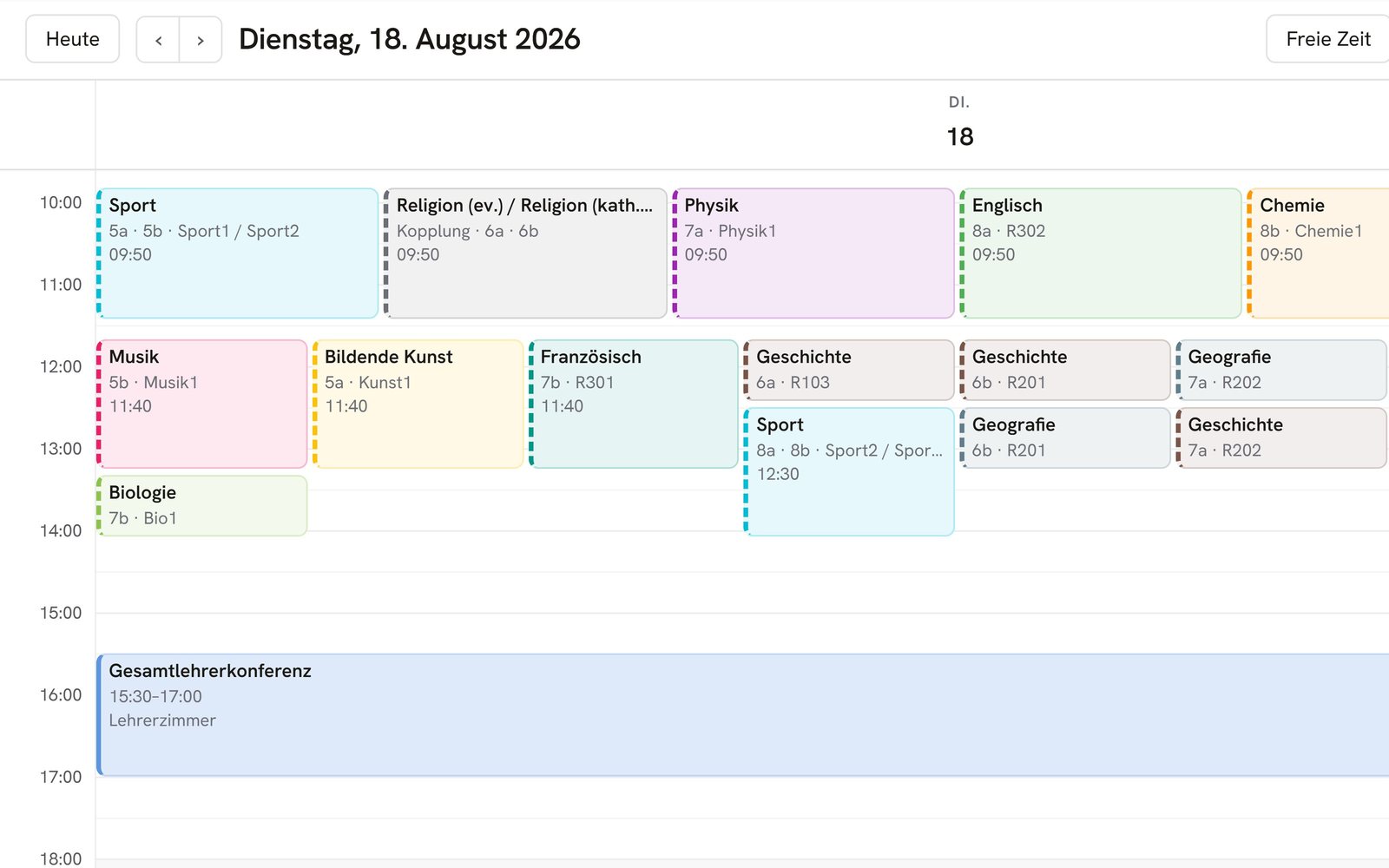
Switch between day, week, and month views or a list of upcoming appointments.
Drag an appointment to another day or time in the calendar.
Your lessons appear in the color of their subject, and you can set the colors yourself.
Search your calendars and bring back appointments you deleted by mistake.
Invite colleagues to an appointment and see who has accepted or declined.
Offer time slots in which others can book an appointment with you, for example for counseling meetings.
Start the video conference for an appointment straight from the calendar.
Create a parent-teacher day and define the meeting times of the participating teachers.
Set your office hours, and parents book individual appointments within them.
Book the auditorium or a specialist room for your appointment right in the calendar.
Schedule staff meetings and record minutes and decisions.
Add dates for the whole school, such as an open house.
Share a calendar with colleagues, such as your department's calendar.
Display the calendars that others share with you.
Add an external calendar using its link.
Resources
 OhayoSchool
The next step
OhayoSchool in action
Learn in a personal demo how OhayoSchool fits into the way your school works.
Frequently asked questions
How do lessons get into the calendar?
OhayoSchool takes the lessons from your school's timetable, so you don't have to enter them again.
Can parents cancel a meeting they have booked?
Yes. Parents see their booked meetings in OhayoSchool and can cancel them there.
Where are our appointments stored?
On servers in Germany, together with the rest of your school's data in the Ohayo Data Cloud.
What does calendar and room booking cost?
Calendar and room booking is part of the Administration package and included in the price per student per month. Accounts for teachers, office staff, and school leaders cost nothing extra. See pricing
Can I try OhayoSchool before I commit?
Yes. In a personal demo, we show OhayoSchool with the data of a sample school.