Timetabling and substitution plans
Create your school's timetable in conversation with a planning agent and cover lessons from the first absence to the active plan.

More dependable school days with timetables and substitutions from one source
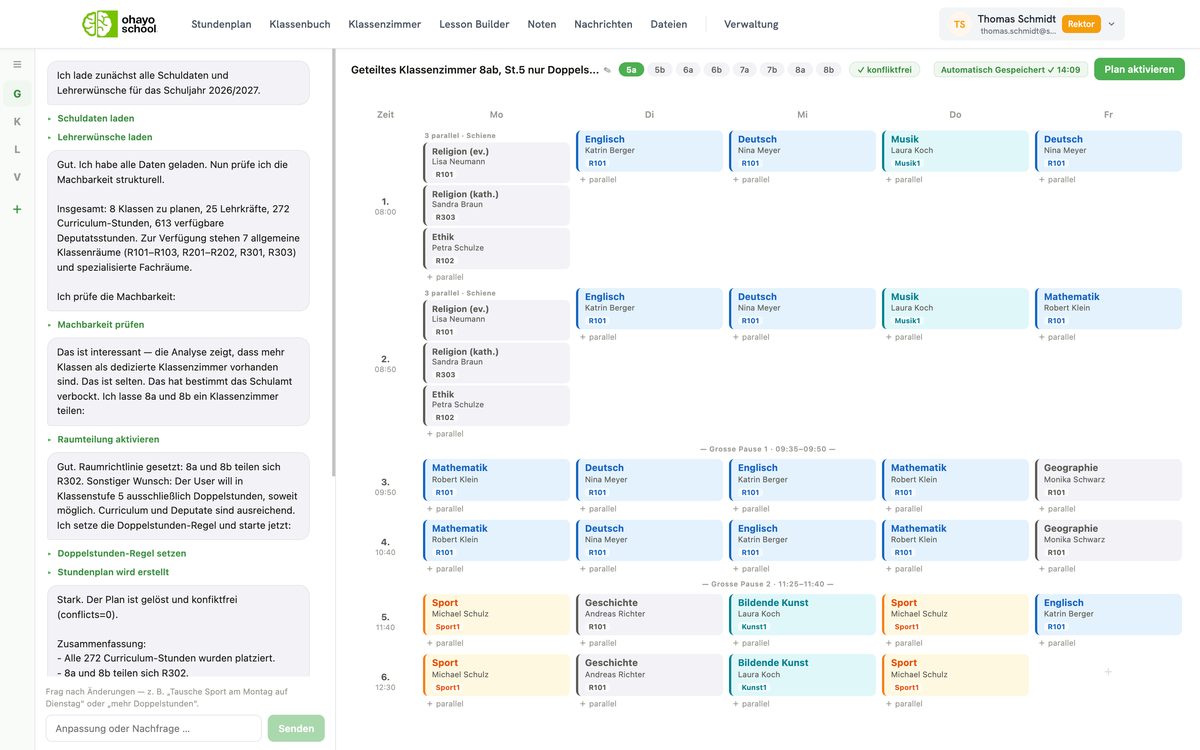
Build the timetable from your school's requirements
Describe subjects, teachers, rooms, and preferences to the planner in everyday language. A solver then calculates the timetable for the whole school, with A/B weeks, semesters, inclusion, and the walking routes between rooms.
All human capital management applicationsLess manual planning
Leave the calculations to the solver and focus on your school's requirements.
One version for everyone
Classes, teachers, and school leaders see the same current timetable, including on days with substitutions.
Exams without clashes
Check a new exam date for clashes before you confirm it.
Data from one source
Plan with the same classes, teachers, and rooms that the class register uses.
Assistant for timetabling
Develop timetables in conversation with the OhayoSchool planner.
Planning assistant
State your requirements, and the planner passes them to the solver. OhayoSchool saves every calculated version as a separate package that you can rename, copy, or activate.
Learn more about AI agentsExplore timetabling functions
Plan lessons, substitutions, and exams in one application.
Let the solver calculate all classes, courses, and rooms in a single run.
Map A and B weeks and both semesters in one timetable.
Compare calculation runs and activate the version that fits best.
Report one or several absences at once.
See who is free for every lesson without a teacher and assign the substitute.
Activate the plan, and the timetables of the affected classes and teachers show the change. Once it takes effect, teachers and classes receive a notification.
Switch on the autopilot if you wish, and OhayoSchool covers open lessons according to your school's rules and logs every assignment.
Create exams for classes and courses and move a date when needed.
See your school's planned exams in one place.
See how many lessons were covered and how many were cancelled.
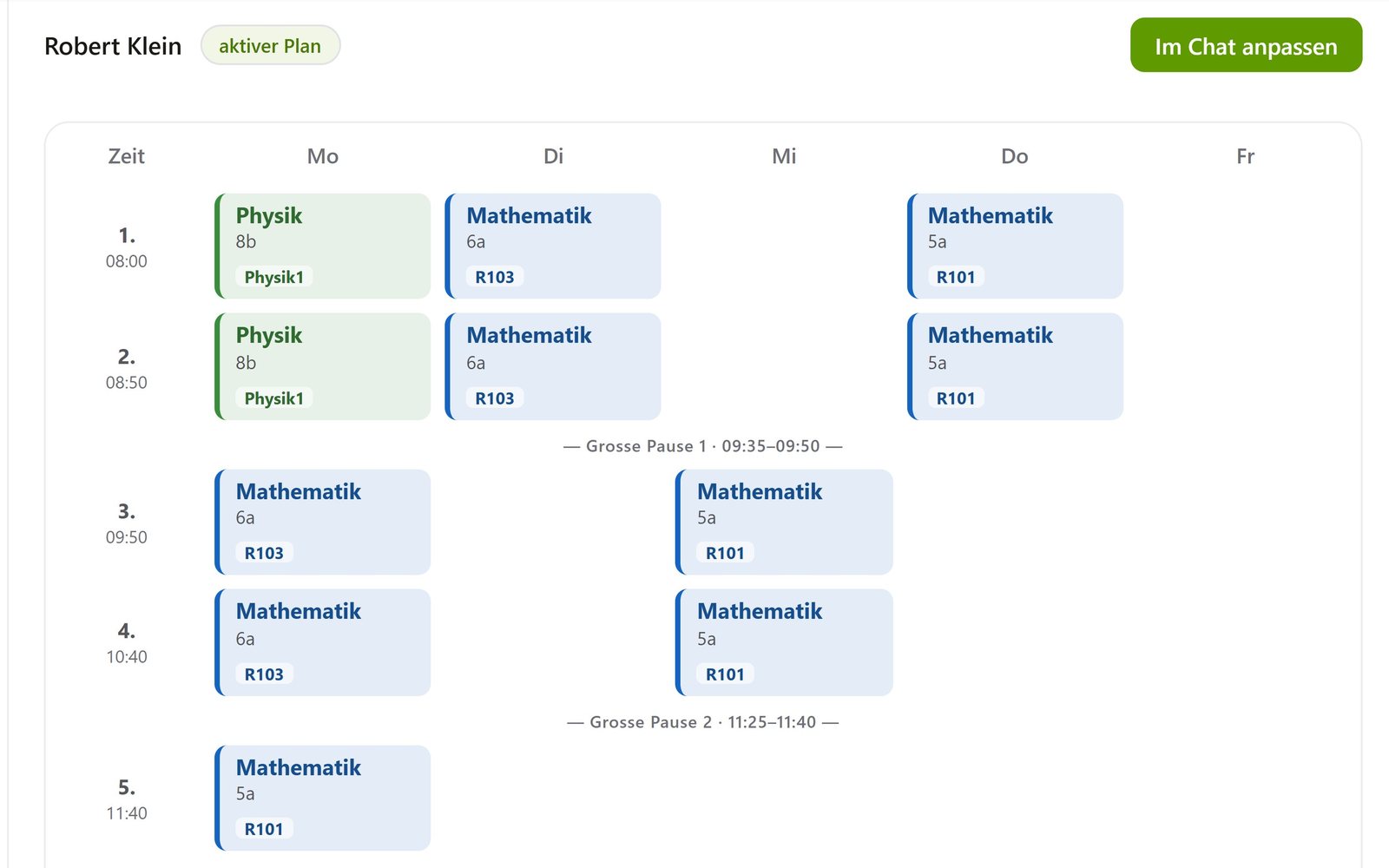
Teachers rate their personal timetable and give you feedback for the next version.
Resources
 OhayoSchool
Substitute planning in schools
How schools organize substitutions and which data matters.
Read articleWorkforce planning
Plan workloads, supervision duties, and subjects across your staff.
View applicationCalendar and room booking
Plan appointments, parent-teacher days, and rooms with the same data.
View applicationThe next step
OhayoSchool in action
Learn in a personal demo how OhayoSchool fits into the way your school works.
Frequently asked questions
What is the difference between a timetable and a substitution plan?
The timetable applies to a semester or a school year. A substitution plan changes it for individual days, and classes and teachers see both in one timetable.
Can we undo a substitution?
Yes. You change individual substitutions or withdraw an entire substitution plan.
Does OhayoSchool assign substitutes without our confirmation?
Only if your school has switched on the autopilot for substitutions. Without the autopilot, and for requests in the Ohayo Terminal, every assignment waits for your confirmation.
What happens to the class register when the timetable changes?
The class register takes its lessons from the timetable, so teachers record the lesson they actually teach.
What does timetabling cost?
Timetabling is part of the Administration package and included in the price per student per month. Accounts for teachers, office staff, and school leaders cost nothing extra. See pricing
Can I try OhayoSchool before I commit?
Yes. In a personal demo, we show OhayoSchool with the data of a sample school.