Parent portal and digital parent letters
Give parents access to messages and their child's learning progress, and let them report their child sick and book meetings in the same portal.

Closer ties with your school's families through messages and learning progress in one portal
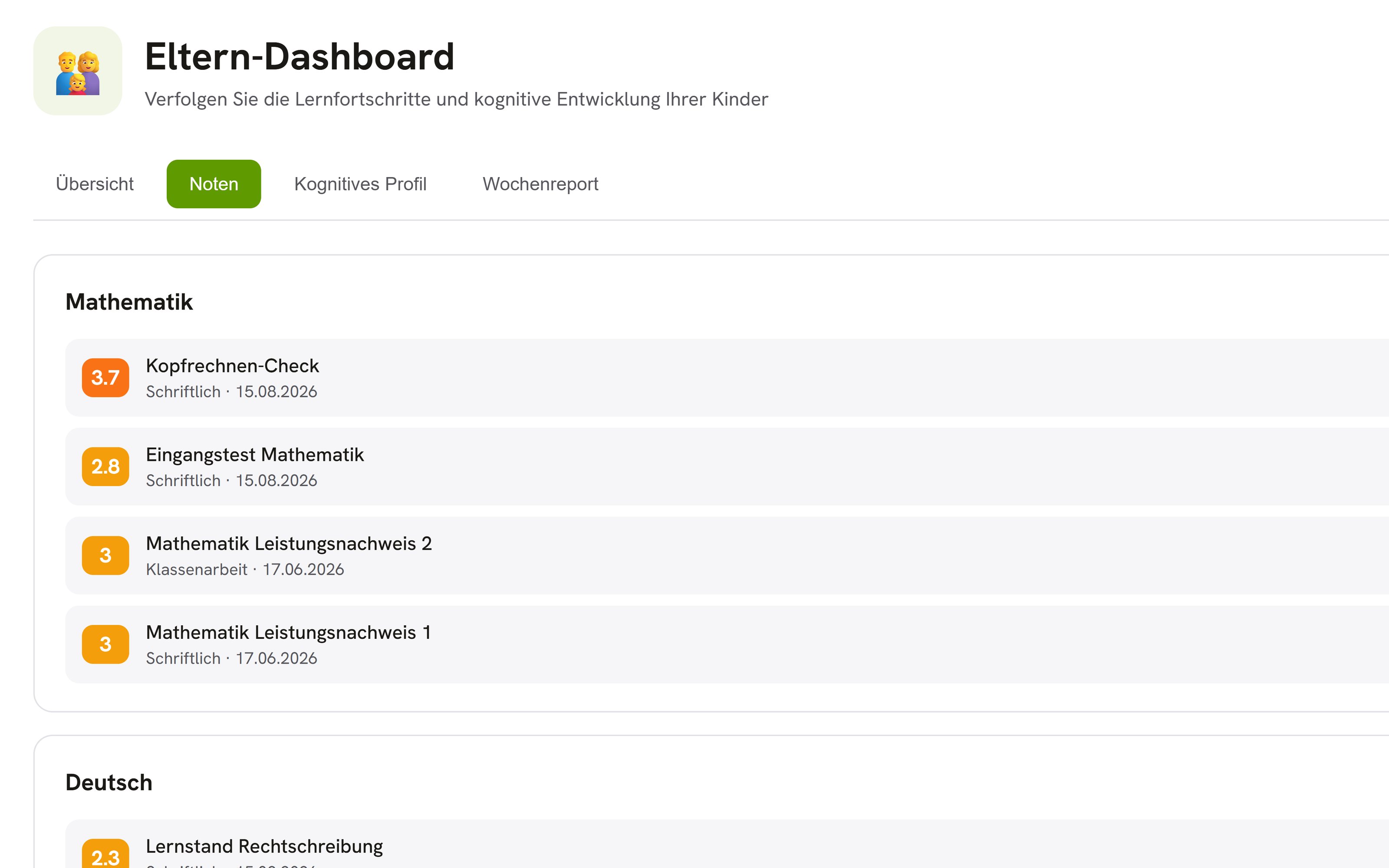
Make a child's learning visible to parents
In the parent view, parents see their child's grades as soon as they are entered and what the child has practiced recently. If your school turns on the learning profile for parents, they see a summary of strengths, practiced topics, and progress as well, without raw scores. They also find a weekly summary and new alerts there.
All parent communication applicationsMessages at the right time
OhayoSchool delivers no messages during the quiet hours you set.
Reach families by email too
Parent letters also go to the parents' email addresses on file at your school.
One login for all children
Parents with several children at your school see all of them with the same login.
Notifications on their terms
Parents choose which notifications and emails they receive from OhayoSchool.
Assistant for parent letters
Prepare parent letters in conversation with the Ohayo Terminal.
Parent letter assistant
Describe in everyday language what the parents of a class need to know. OhayoSchool drafts a parent letter from it, and the letter goes out only after you confirm it.
Learn more about AI agentsExplore parent portal functions
Send messages and parent letters to families, and receive sick notes and meeting bookings in the same application.
Parents pick teachers from the contact list and message them in OhayoSchool.
Attach files and see who has read your message.
Write a message in the evening and have it delivered the next morning.
Save messages you send regularly as templates.
Send a parent letter to the parents of a class and see which families have confirmed it.
Send a reminder to the families who have not yet confirmed a letter.
Have parents sign consent forms digitally, for example for a museum visit, and track the responses.
OhayoSchool translates parent letters and messages so that parents receive them in their own language.
Parents report their child sick in OhayoSchool, and the report appears in the school office's list of open sick notes.
Ask the Ohayo Terminal for open sick notes, and the sick note assistant presents them to you for confirmation.
Ask the parent-teacher day assistant in the Ohayo Terminal to set up a parent-teacher day or office hours with open slots.
Parents book open slots on parent-teacher day or during a teacher's office hours and cancel them if needed.
Parents see all their booked meetings in one place.
Resources
 OhayoSchool
Calendar and room booking
Plan parent-teacher days and office hours that parents book in the parent portal.
View applicationThe next step
OhayoSchool in action
Learn in a personal demo how OhayoSchool fits into the way your school works.
Frequently asked questions
How do parents get access to their child's data?
Your school invites parents and guardians with a personal code, by letter with a QR code or by email. Anyone who redeems the code is linked to the child right away. The school office approves requests without a code, and your school can revoke links.
Can the school office reject a sick note?
Yes. The school office confirms or rejects a report, and parents see the decision in OhayoSchool.
Where are messages and parent letters stored?
On servers in Germany, together with the rest of your school's data. Even when OhayoSchool drafts a parent letter, no data goes to external AI providers.
What does the parent portal cost?
The parent portal is part of the Administration package and included in the price per student per month. Accounts for teachers, office staff, and school leaders cost nothing extra. See pricing
Can I try OhayoSchool before I commit?
Yes. In a personal demo, we show OhayoSchool with the data of a sample school.