Accidents, emergencies, and compulsory schooling
Record accidents, follow up on violations of compulsory schooling, and send an alert from OhayoSchool in an emergency.

More confidence in meeting reporting obligations with a traceable process for every case
Follow every case through to closure
In OhayoSchool, every accident and compulsory schooling case moves through fixed steps from the first entry to resolution. Each case shows which step it has reached.
All governance and compliance applicationsOpen cases at a glance
See in one list which cases are still waiting for a decision or a report.
Proof for insurers and authorities
Use the log to show when your school reported or escalated a case.
One data foundation
Accident and compulsory schooling cases use the same student and class data as the class register and the school office.
Access by role
Teachers create accident reports and see alerts about compulsory schooling violations in their classes. Only people your school authorizes handle the further steps in accident and compulsory schooling cases.
Assistant for compulsory schooling
Review absences with the compulsory schooling assistant from OhayoSchool.
Compulsory schooling assistant
The assistant analyzes absences in the class register and shows students whose absences may indicate a violation of compulsory schooling. You assess every alert and decide on the next steps.
Learn more about AI agentsExplore functions for accidents, emergencies, and compulsory schooling
Handle accident reports, compulsory schooling cases, and emergencies in one application.
Create a report for every accident and add details as they come in.
Submit the report once all details are complete.
Note in the case that the accident has been reported to the accident insurer.
Close the case when nothing is left open.
Open a case from an OhayoSchool alert or from your own observation.
Escalate the case if the absences continue.
Notify the responsible authority and record the date in the case.
Close the case once the student attends school regularly again.
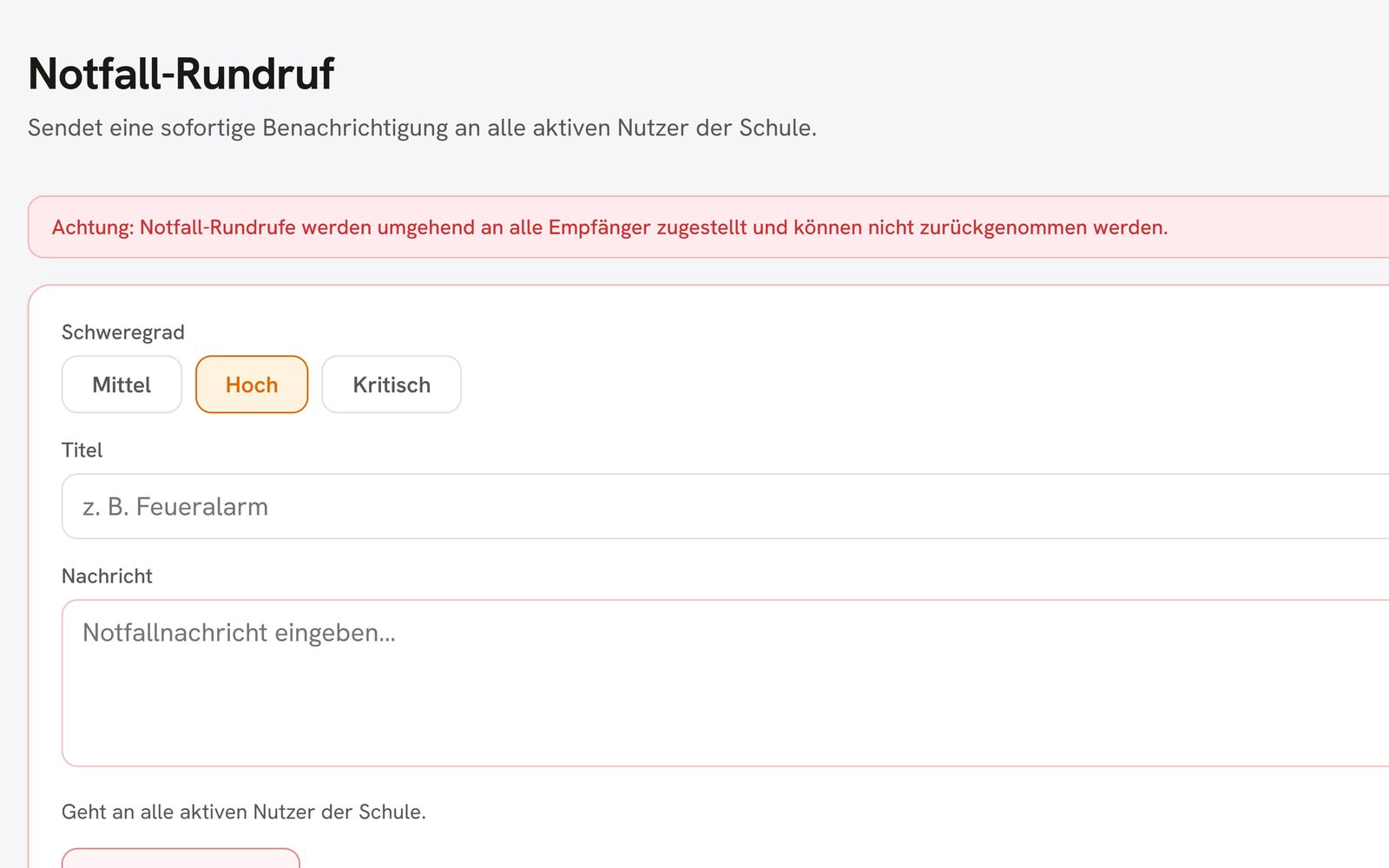
Send the emergency alert from a dedicated view in OhayoSchool administration.
See in the log which emergency alerts were sent and when.
Resources
 OhayoSchool
Governance and compliance
All applications for documentation, reporting, and data protection.
Learn moreThe next step
OhayoSchool in action
Learn in a personal demo how OhayoSchool fits into the way your school works.
Frequently asked questions
Does OhayoSchool send the accident report to the accident insurer?
No. Your school continues to send the official accident report to the accident insurer itself.
Can I report an accident in conversation?
Yes. Tell the accident assistant in the Ohayo Terminal what happened, and it creates the report. It also adds the note for the accident insurer and closes the case, each time only after you confirm.
When does a violation of compulsory schooling occur?
This is set out in the school law of your federal state, as are the steps leading up to a report to the authority.
Where do I record a data breach?
You handle data breaches in the data protection functions of OhayoSchool. There you report a breach and track its status until it is closed.
What does the Incidents and emergencies application cost?
The Incidents and emergencies application is part of the Administration package and included in the price per student per month. Accounts for teachers, office staff, and school leaders cost nothing extra. See pricing
Can I try OhayoSchool before I commit?
Yes. In a personal demo, we show OhayoSchool with the data of a sample school.