Digital submissions and feedback
Hand out assignments with deadlines to your classes and let OhayoSchool flag similar submissions for you.

More visibility into homework with one application, from setting a task to returning it
Every submission in its own document
Create a separate document for each student when you set an assignment. When a student submits, OhayoSchool freezes the document so the submitted version is preserved.
All digital teaching applicationsAll submissions in one place
Find the whole class's work, whether it was done in class or at home.
Balanced workload
Work with your colleagues to make sure no class gets too much homework at once.
Clarity for students
Students see in OhayoSchool which assignments are due and when.
Feedback in the work itself
Write your corrections directly into the work, so students find each comment right where it applies.
Assistant for assignments and submissions
Spot strikingly similar submissions with OhayoSchool.
Assignment assistant
OhayoSchool compares the submissions for an assignment with each other and lists the matches for you. You decide how to handle a match.
Learn more about AI agentsExplore assignment functions
Work with assignments, deadlines, feedback, and homework load in one application.
Set an assignment for the whole class or for individual groups.
Create recurring assignments once as a series.
Use proven assignments as templates or copy an assignment for another group of students.
Remind everyone who has not submitted yet in one step.
Students ask for more time, and you grant or decline the extension.
Record adjustments, for example for students entitled to accommodations.
Start and end an exam and follow the status of all submissions in one overview.
Grade each submission and see which pieces of work are still waiting for your feedback.
Save feedback you give often as text snippets.
Return your feedback or reopen a submission so the student can keep working.
Show the class a particularly good submission.
See how much homework a class currently has across all subjects.
Set an upper limit for the homework load.
View an analysis of the submissions for each assignment.
Resources
 OhayoSchool
The next step
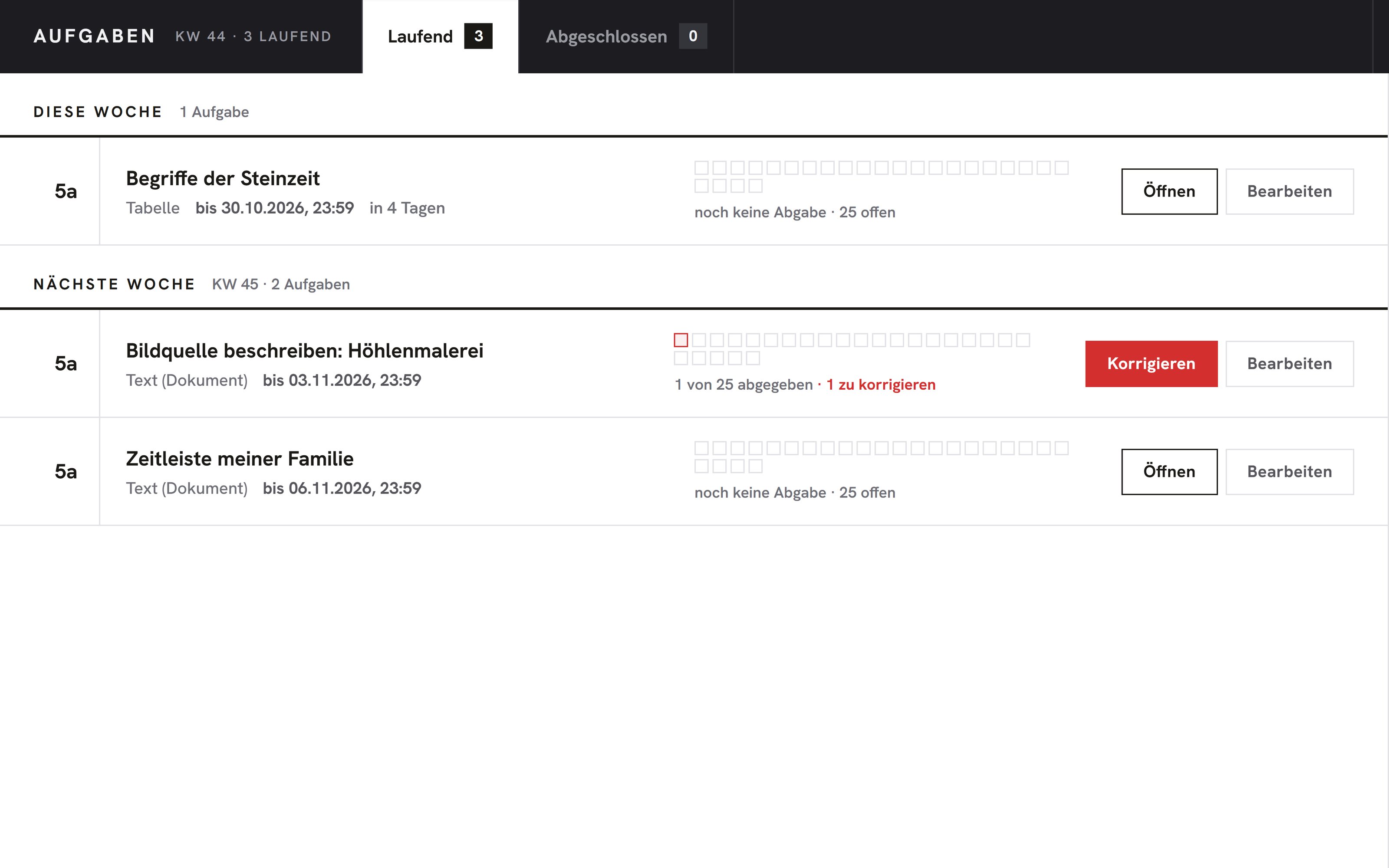
OhayoSchool in action
Learn in a personal demo how OhayoSchool fits into the way your school works.
Frequently asked questions
Does a match in the comparison prove cheating?
No. Texts can also be similar when students worked together in a group or used the same source.
Can I turn a whiteboard into an assignment?
Yes. You save the whiteboard in the digital classroom as a document and set it for the class as an assignment.
What do assignments in OhayoSchool cost?
Assignments are part of the Intelligence infrastructure package. It builds on the Administration package and is billed additionally per active student per month. Accounts for teachers, office staff, and school leaders cost nothing extra. See pricing
Can I try OhayoSchool before I commit?
Yes. In a personal demo, we show OhayoSchool with the data of a sample school.