Responses and course selection
Collect information and opinions digitally, and assign students to elective courses based on their choices.

More clarity on feedback with forms and surveys
Gather and evaluate feedback
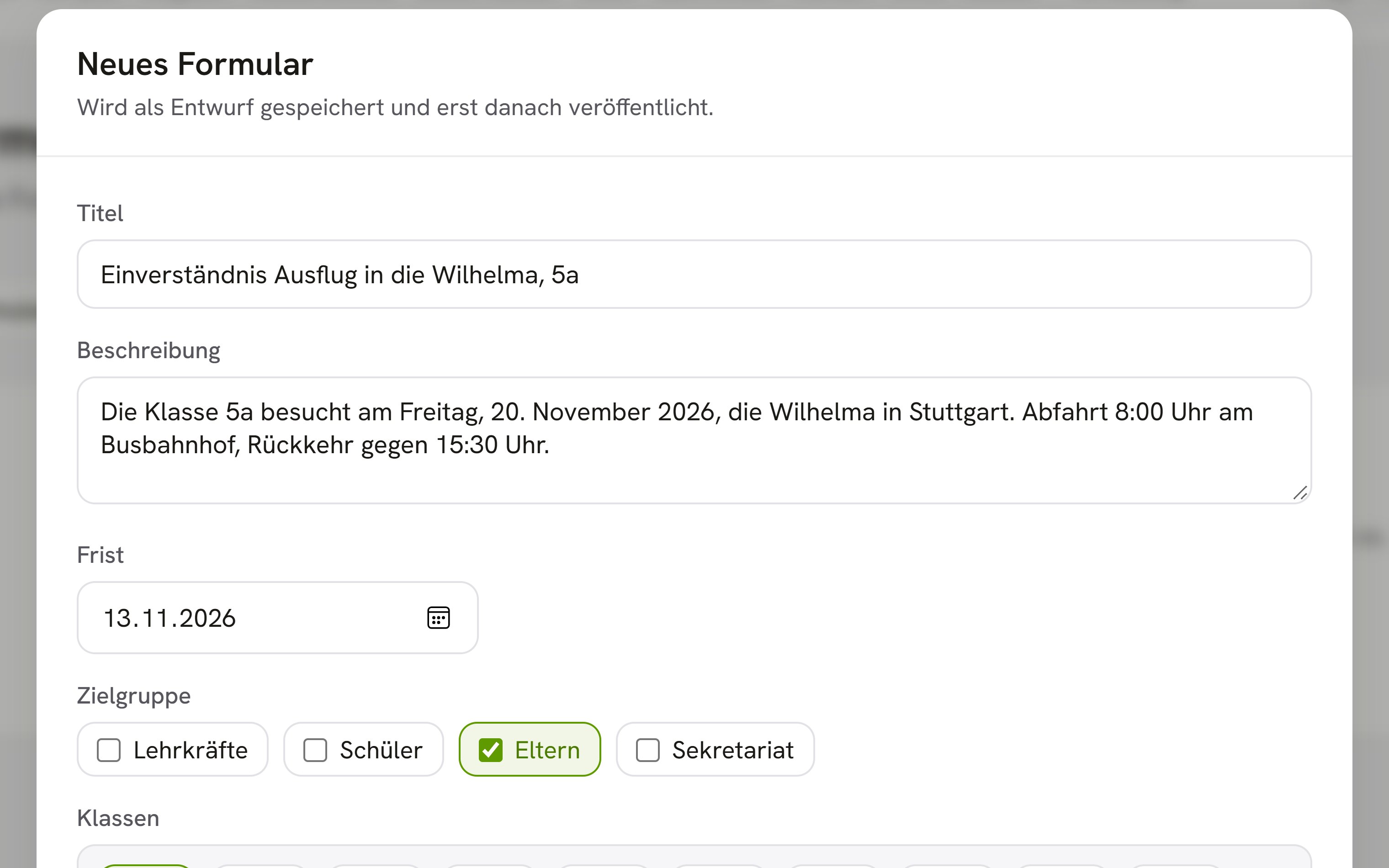
Create forms when you need information, such as who is joining a class trip, and surveys when you want to gauge opinion. You handle elective rounds and enrollment in the same application.
All business process management applicationsLess paperwork
Responses arrive digitally, so nobody has to collect slips of paper or type them up.
Results without counting
OhayoSchool counts the answers to a survey for you.
No double entry
Transfer accepted enrollments directly into your school data.
Data in Germany
Responses and enrollments are stored on servers in Germany.
Assistant for forms and surveys
Prepare forms, surveys, and elective rounds in conversation with the forms assistant.
Forms assistant
Tell the assistant what information you need, and it drafts the form or survey. Later, you can ask it how the responses stand or have it allocate the courses in an elective round; OhayoSchool carries out every change only after you confirm it.
Learn more about AI agentsExplore functions for forms and surveys
Pick the right tool for every kind of feedback, from a short form to a full round of elective choices.
Decide which information you ask for, and adjust the form whenever you need to.
Open each response with all of its details.
Write the questions, and change or delete the survey as needed.
See how the answers to each question are distributed.
Create a round of elective choices with the courses on offer.
Students choose their preferred courses in OhayoSchool.
OhayoSchool works out from the submitted choices which student takes which course.
Create an enrollment form for new students and update it for the next school year.
See every enrollment you have received and accept or reject it.
Resources
 OhayoSchool
Business process management
All applications for workflows in the school office and across campus.
Learn moreThe next step
OhayoSchool in action
Learn in a personal demo how OhayoSchool fits into the way your school works.
Frequently asked questions
How do forms differ from consent forms?
Parents sign consent forms digitally, and they are part of parent communication. You use forms for any other information you need to collect.
Can we change an allocation after it has been calculated?
Yes. You change individual allocations by hand, for example when a student needs to switch to another course for a good reason.
What do forms and surveys cost?
Forms and surveys are part of the Administration package and included in the price per student per month. Accounts for teachers, office staff, and school leaders cost nothing extra. See pricing
Can I try OhayoSchool before I commit?
Yes. In a personal demo, we show OhayoSchool with the data of a sample school.