Guided learning with classroom content
Let students practice what you teach step by step and follow up on questions of their own.

Better understanding of classroom content with a digital tutor that leads through every task
Practice what was covered in class
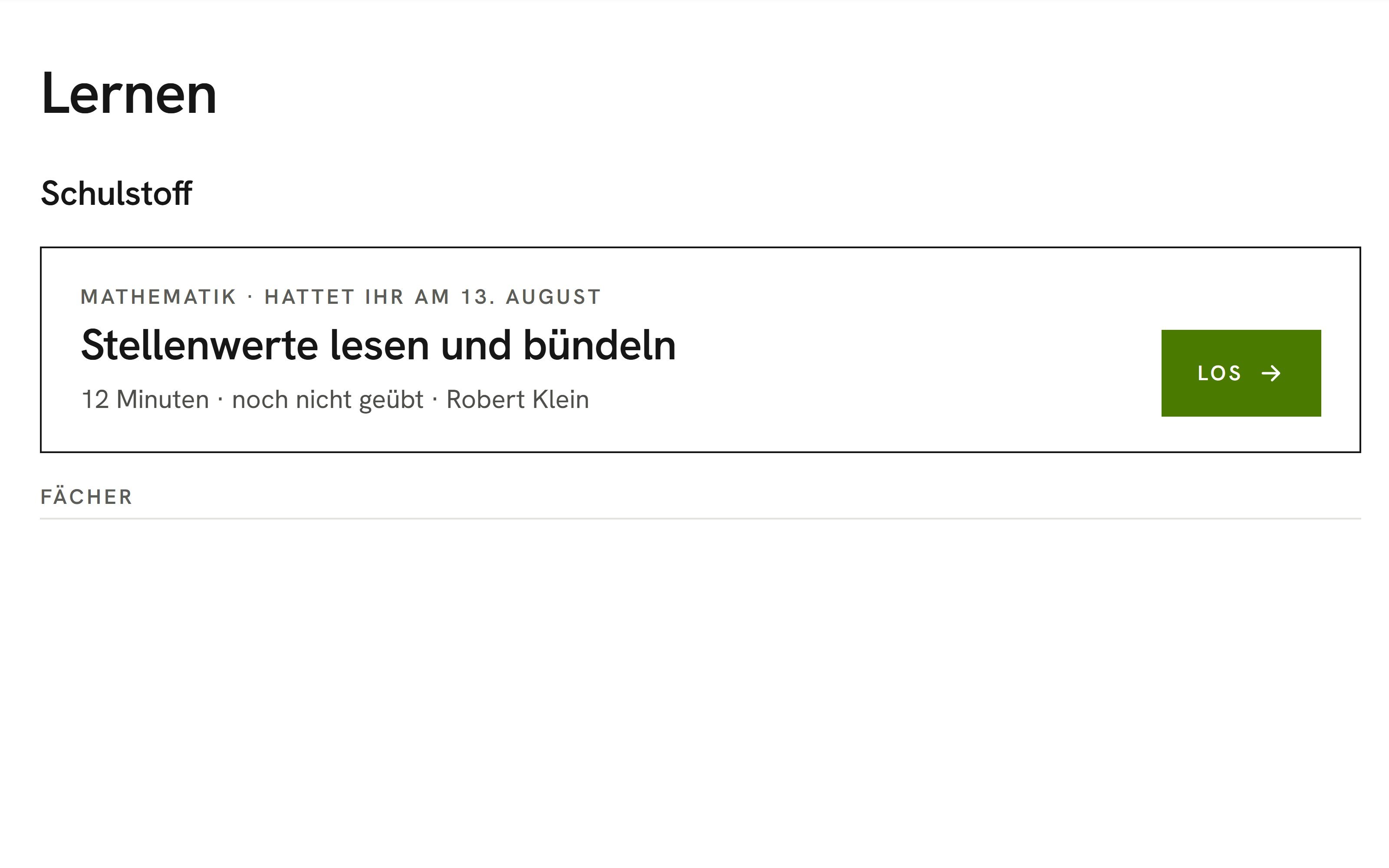
In the learning terminal, students first see a suggestion from their class's current material and their status for each topic, from “not practiced yet” to “got it”. The suggestions are based on the lessons that teachers link to the curriculum in the class register.
All educational AI applicationsCatch up on missed lessons
Give students who missed a lesson a direct route to that lesson's material.
Build on curiosity
Pick up on your students' curiosity, including questions that go beyond the curriculum.
Time for individual students
Help the students who need you while faster students keep learning in the learning terminal.
Ready for class tests
Prepare your class for tests, as students see the date and the topics they should refresh.
Learning pilot in the learning terminal
Support your students as they practice with the OhayoSchool learning pilot.
Learning pilot
The learning pilot is the digital tutor in the learning terminal. It introduces each task and picks a suitable way to answer. It offers “I don't know” at any point and gives a nudge when a student gets stuck or answers wrong twice. Hints come in stages on request.
Learn more about AI agentsExplore learning terminal functions
Use the learning terminal for classroom content, for students' own questions, and in the classroom.
Depending on the task, students answer by tapping, typing, matching, drawing, or using a number line. Anyone who prefers another way can switch.
A map shows students how well they master each skill and which skills build on each other. Tapping “Practice” starts the next round.
At the end of a round, students see how many tasks they solved and how their level changed for each topic.
Students justify a solution in their own words. OhayoSchool assesses the explanation against set criteria, and the digital tutor follows up when something is missing.
A made-up classmate makes a claim, and the student decides whether it is true.
Students ask the digital tutor by text or voice when they don't understand something.
On each device, students choose whether to speak at the press of a button, hands-free, or turn voice input off.
The digital tutor speaks with a voice that OhayoSchool generates on its own servers.
Under “Free learning”, students write what they want to understand, and OhayoSchool turns it into a topic with subtopics.
For each of their own topics, students see how many subtopics they have mastered.
If a question does not fit the learning terminal, OhayoSchool declines it in a short sentence.
Own topics can be turned on for individual classes.
In the class register, confirm the suggested curriculum topic for a lesson, change it, or mark the lesson as “not curriculum content”.
Turn on “learning pilot for early finishers” in the classroom. When a student hands in a worksheet early, the learning terminal opens automatically, with a focus on selected skills if you wish.
See for every child in your class which steps they took over the last two weeks and where the digital tutor stepped in.
Resources
 OhayoSchool
Learning profile
Each student's strengths and areas to practice compared with the class.
View applicationDigital class register
Lessons, attendance, and absences for your classes in one place.
View applicationThe next step
OhayoSchool in action
Learn in a personal demo how OhayoSchool fits into the way your school works.
Frequently asked questions
How do students get to the learning terminal?
Students sign in with their school account in the browser and land directly in the learning terminal. They don't need a separate app.
Do results feed into the learning profile?
Yes, once the student's parents or guardians have given their consent. Without consent, no learning profile is created.
Where does OhayoSchool process answers and voice recordings?
On servers in Germany. OhayoSchool runs speech recognition and language models itself, and none of it goes to external AI providers.
What does the learning terminal cost?
The learning terminal is part of the Intelligence infrastructure package. It builds on the Administration package and is billed additionally per active student per month. Accounts for teachers, office staff, and school leaders cost nothing extra. See pricing
Can I try OhayoSchool before I commit?
Yes. In a personal demo, we show OhayoSchool with the data of a sample school.